vCard Parser: Open, Read, and Edit .vcf Contact Files Online
Parse vCard 2.1, 3.0, and 4.0 files online for free. Turn .vcf contacts into readable text, edit any field, and export back to vCard 3.0 or 4.0 — fully offline in your browser.
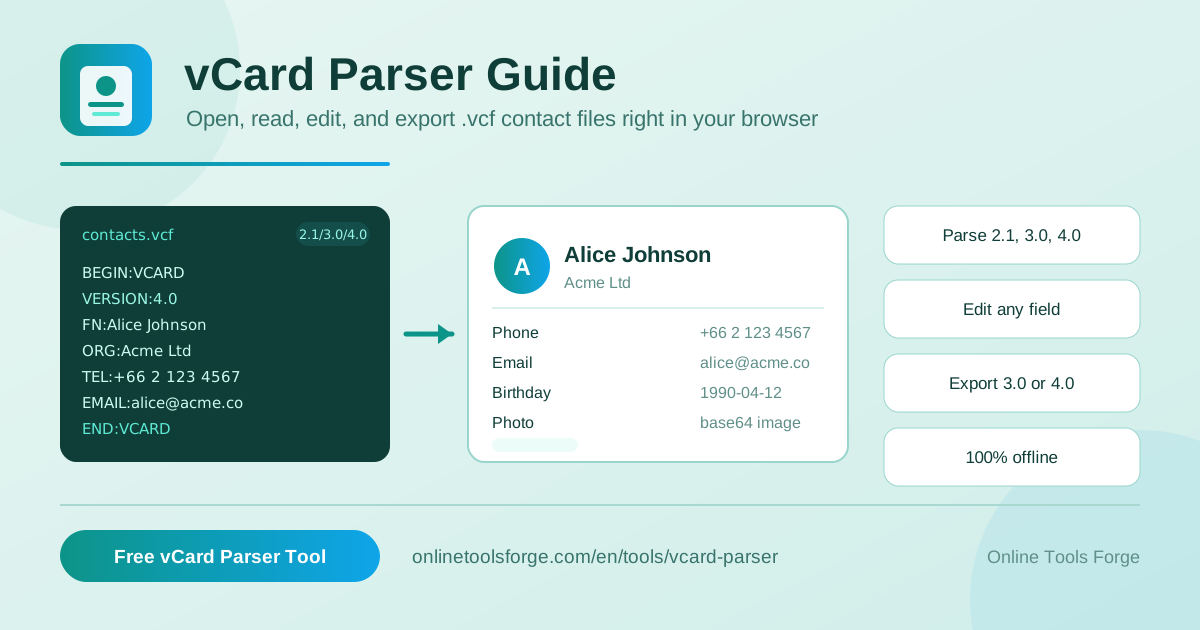
Table of Contents
If you have ever received a contacts.vcf attachment by email or exported your phone's address book, you know what it looks like when you open it: a dense wall of BEGIN:VCARD, VERSION:3.0, cryptic property names, and long strings of base64 gibberish. That file is a vCard — the standard digital contact card format used by iOS, Android, Gmail, and Outlook. It is designed to be machine-readable, which unfortunately makes it almost unreadable for humans.
The free vCard Parser fixes that instantly. It turns any .vcf file into clean, readable contact cards showing names, organizations, job titles, phone numbers, emails, URLs, addresses, birthdays, and photos. You can edit any field and export the result back to vCard 3.0 or 4.0. Best of all, everything runs 100% in your browser — your contacts never leave your device, there is no upload to any server, and no signup is required.
In this guide, you will learn how to use the tool step by step, how the vCard format actually works under the hood, and the everyday situations where a good VCF viewer saves you real time.
Why Use the vCard Parser?
- Open VCF files online in seconds. No installing contact managers or trusting random desktop software. Drop in your file and immediately see every contact in a clean, structured layout instead of raw syntax.
- 100% offline and private. Parsing happens entirely in your browser using client-side JavaScript. Your address book is sensitive data — with this tool it never touches a server, which matters for personal, client, or HR contact lists.
- Supports all three vCard versions. Whether your file was produced by an old Nokia phone (vCard 2.1), Outlook (3.0), or a modern iPhone or Android device (4.0), the parser understands the syntax of each version.
- Handles the messy details for you. The vCard spec folds long lines at 75 characters and stores photos as base64 blobs. The parser automatically unfolds lines and decodes embedded images, so you see a photo preview instead of thousands of random characters.
- Edit, don't just view. Every extracted field is editable. Fix a typo in a name, correct a phone number, update an organization — then export the corrected data back to vCard 3.0 or 4.0.
- Free with no signup. There is no account, no watermark, no export limit, and no data quota. Open the page, parse your file, and you are done.
Key Features
| Feature | What it does |
|---|---|
| Upload or paste | Load a .vcf file from disk, or paste raw vCard text directly into the editor |
| Multi-version parsing | Reads vCard 2.1, 3.0, and 4.0 files, including mixed-version content |
| Full field extraction | Pulls FN, ORG, TITLE, TEL, EMAIL, URL, ADR, BDAY, and PHOTO into labeled fields |
| Photo support | Decodes base64-encoded photos and displays them as image previews per contact |
| Line folding support | Correctly rejoins physical lines split at 75 characters per the vCard spec |
| Multi-contact handling | Parses every contact card contained in a single file, not just the first |
| Inline editing | Editable fields for each contact, so you can clean data before re-export |
| vCard export | Saves your edited contacts back to vCard 3.0 or 4.0 format |
A few details worth highlighting:
- Real spec compliance. Correctly unfolding folded lines is what separates a robust vCard parser from a naive one. Long values like addresses and base64 photos routinely span multiple physical lines, and this tool reassembles them exactly as the standard intends.
- Photos decoded, not ignored. Many viewers skip the PHOTO property entirely. Here, the base64 payload is decoded into a visible image so you can confirm which contact is which at a glance.
- Round-trip workflow. Parse, review, edit, and re-export — the output is a valid vCard 3.0 or 4.0 file you can re-import into any contacts app.
How to Use the vCard Parser
- Open the vCard Parser in your browser. The tool loads instantly and works offline once the page is open — no account or installation needed.
- Provide your .vcf content. Either upload the file from your computer, or open the file in a text editor, copy its contents, and paste them directly into the input area. Both routes work identically.
- Review the parsed contacts. The parser detects the vCard version automatically and renders every contact as a readable card: full name, organization, title, phone numbers, emails, URLs, addresses, birthday, and photo preview.
- Edit any field you need to fix. Click into any field — name, number, email, address — and correct it. This is the quickest way to clean up duplicates, outdated numbers, or formatting glitches from an old export.
- Export back to vCard. Choose vCard 3.0 or 4.0 output, download the file, and re-import it into Gmail, Outlook, or your phone. Everything happened locally, so you can disconnect from the internet and it still works.
Understanding the vCard Format
vCard is an international standard (RFC 6350 for version 4.0, with earlier RFCs covering 2.1 and 3.0) for exchanging contact information. A vCard file is plain text made of PROPERTY lines wrapped in BEGIN:VCARD and END:VCARD. Multiple contacts can live in one file by repeating that block. Here is a typical vCard 3.0 entry:
BEGIN:VCARD
VERSION:3.0
N:Nguyen;Alex;;;
FN:Alex Nguyen
ORG:Example Corp;Engineering
TITLE:Senior Developer
TEL;TYPE=CELL:+1-555-0134
EMAIL;TYPE=WORK:[email protected]
ADR;TYPE=HOME:;;42 Market Street;Springfield;;54321;USA
BDAY:1989-07-14
PHOTO;ENCODING=b;TYPE=JPEG:/9j/4AAQSkZJRgABAQEAYABgAAD...
END:VCARD
Version differences. vCard 2.1 (1996) uses loose, non-standardized syntax and often carries QUOTED-PRINTABLE encoded text — common in old Outlook and Windows Mobile exports. vCard 3.0 (1998) tightened the syntax, standardized property parameters like TYPE=CELL, and remains the most widely supported version. vCard 4.0 (2011) added structured timestamps, social profile properties, better internationalization, and multiple precision per property. A practical parser must tolerate all three, because exported files in the wild use whichever version the exporting app happens to emit.
Common properties. FN is the formatted full name shown in apps; N is its structured counterpart (family, given, middle, prefix, suffix). TEL and EMAIL repeat once per number or address, typed via parameters. ORG holds company and department separated by semicolons, ADR encodes a full postal address, BDAY carries the birthday, and URL links a website or profile.
Base64 photo encoding. The PHOTO property usually embeds the image itself using ENCODING=b (2.1) or a data: URI style value (3.0/4.0), base64-encoding the JPEG or PNG bytes. That single line can run to tens of thousands of characters — which is why opening a .vcf in a text editor often looks broken.
Line folding. Per the spec, physical lines must not exceed 75 characters. Longer values are split across lines, with continuation lines beginning with a space or tab. Parsers must unfold these before interpreting values — the vCard Parser does this automatically, which is exactly the edge case that makes hand-reading or naive parsing fail.
Practical Use Cases
Reading Contacts Exported from a Phone
When you export contacts from an iPhone or Android device, you get one .vcf file containing every entry — often hundreds, each with a base64 photo inflating the file. Pasting it into the vCard Parser instantly renders each person as a readable card with their photo, so you can review your entire address book without importing it anywhere or squinting at raw syntax.
Merging Contact Lists from Multiple Sources
Switching jobs, consolidating a personal phone with a work phone, or combining a CRM export with your Gmail contacts usually produces several .vcf files in different versions. Parse each file, compare entries side by side, fix conflicting numbers and titles in the editable fields, and export a single clean vCard 3.0 or 4.0 file to import everywhere.
Cleaning Up Exported Gmail and Outlook Contacts
Google Contacts and Outlook exports are notorious for inconsistent formatting: names in ALL CAPS, phone numbers with mixed separators, companies stored inconsistently, junk characters from old 2.1-encoded entries. Use the parser as a quick VCF viewer to audit the export, correct fields inline, and re-export a normalized file before pushing it to a new device or platform.
Converting Business-Card Imports
Scanning apps and conference badge readers emit vCards filled with noisy data — truncated company names, garbled titles, wrong phone types. Parsing the output lets you verify what was actually captured, fix each field, and produce a clean contact card you can trust, all without the scanned data ever leaving your machine.
Best Practices
- Keep a backup of the original .vcf file before you start editing, so you can always re-parse from a known-good source if a correction goes sideways.
- Paste rather than upload when files are very large — pasting text directly is often faster for huge exports and sidesteps any file-picker friction.
- Check photo-heavy files carefully: embedded base64 photos make .vcf files enormous; if you only need the data, confirm the photo previews decode correctly before deleting originals.
- Prefer vCard 4.0 on export for modern apps, but fall back to 3.0 if your target system (older Outlook versions, some CRM importers) rejects it.
- Verify multi-contact files after merging by re-parsing your exported file once, confirming every entry arrived intact before importing into your phone or email client.
- Never send contact files to unknown web converters — many upload your address book to a server. This tool's fully client-side processing removes that risk entirely.
Turn Your .vcf File into Clean, Editable Contacts Today
Stop squinting at BEGIN:VCARD syntax. Open the free vCard Parser, drop in your .vcf file or paste its contents, and see every contact rendered clearly — names, phones, emails, addresses, birthdays, and photos. Edit what needs fixing, export back to vCard 3.0 or 4.0, and know that your address book stayed on your device the entire time. It takes less than a minute.
Related Tools You Might Like:
- CSV to vCard Converter — turn spreadsheet exports of contacts into importable vCard files
- Email Validator — verify email addresses in your contact lists before you import or mail them
- Email Extractor — pull every email address out of pasted text, documents, or exports
Happy parsing!
Frequently Asked Questions
Q: Is my contact data uploaded to a server when I use the vCard Parser?
A: No. All parsing, editing, and exporting happens entirely in your browser using client-side JavaScript. Your .vcf file never leaves your device, and the tool works even with your internet connection disabled once the page is loaded.
Q: Which vCard versions can the parser handle?
A: It parses vCard 2.1, 3.0, and 4.0 files, including files that contain multiple contacts. When exporting, you can choose either vCard 3.0 or 4.0 format, both of which are widely supported by Gmail, Outlook, iOS, and Android.
Q: Can I open a .vcf file that contains hundreds of contacts?
A: Yes. The parser processes every BEGIN:VCARD block in the file and renders each one as a separate, readable contact card, so a full phone export with embedded photos is handled just like a single contact.
Q: What happens to the photos stored inside a vCard file?
A: Photos are stored as base64-encoded image data inside the PHOTO property. The parser decodes this data and shows the image as a preview on each contact card, so you can visually identify people instead of reading raw encoded strings.
Q: Can I edit contacts and import the result back into my phone?
A: Yes. Every field is editable directly in the parsed view. After making corrections, export the contacts as a vCard 3.0 or 4.0 file and import it into any contacts app or email client that accepts standard vCard files.